A changelog widget that builds itself from the board
A dated timeline of what you shipped, embedded in your product.
Read itA feature request widget that shows the board first
Most widgets take an idea and swallow it.
Read itA roadmap widget for your own site, on the nine dollar plan
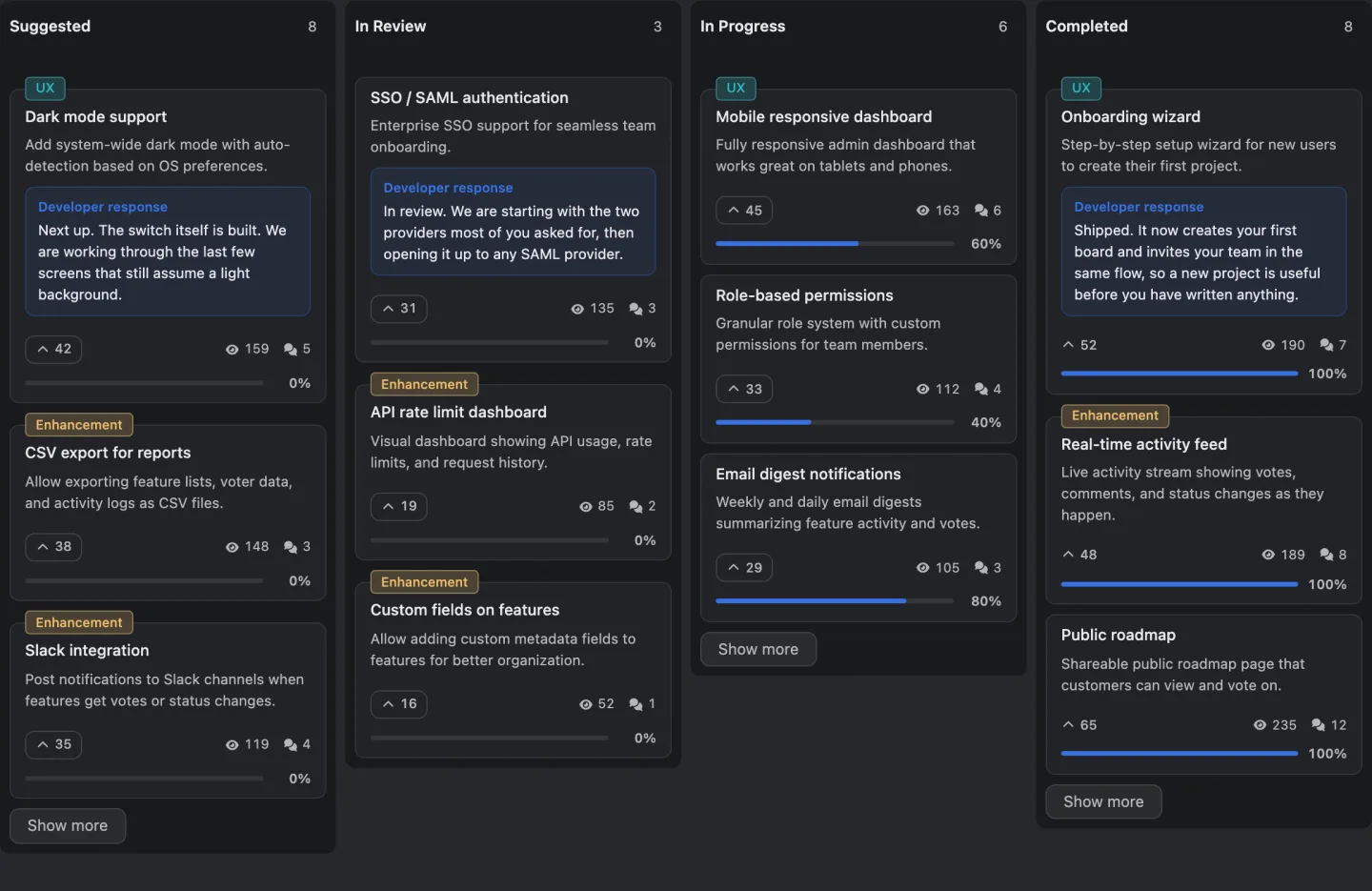
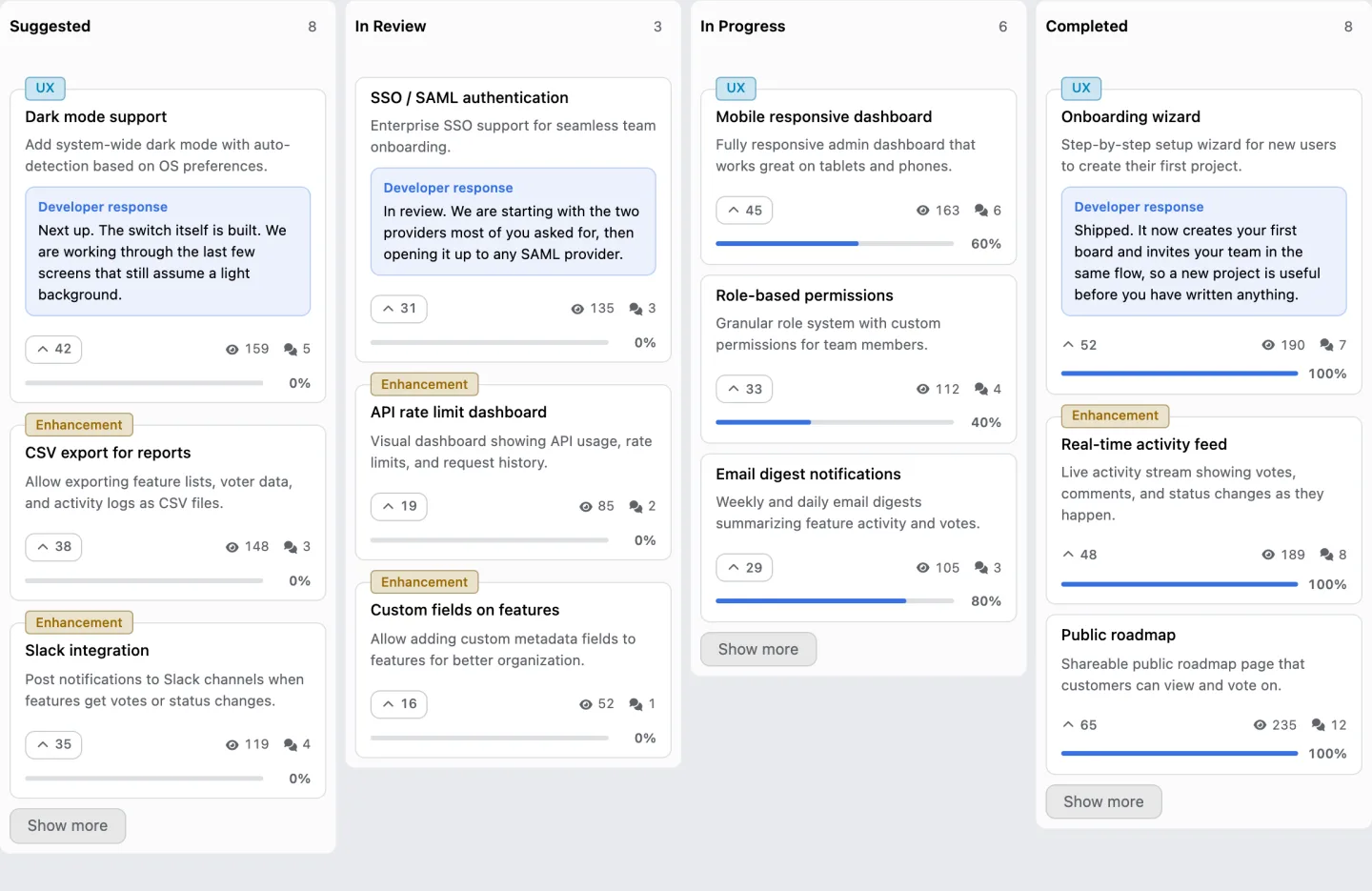
Your columns as a grid of cards, inside your own site, with one script tag.
Read itA suggestion form nobody needs an account for
A modal that opens over your page, takes an idea in two fields, and holds it for review.
Read itA vote button for one feature, inside your product
Ask about one specific feature on the page where that feature lives, instead of sending somebody to a board to go and find it first.
Read itMost feedback tools sell you a board and then charge extra to put it where your customers already are, so the feedback widgets a SaaS actually needs end up behind a plan.
They go on your own site with one script tag, work for a signed out visitor, and none of them is behind a plan. They are the places you put the board rather than the board itself, and the board's own features are listed here.
There are seven, plus two things that open on top of the page.
What are the seven?
Seven embeds, from the whole board down to a single vote control beside one feature.
| Widget | What it draws |
|---|---|
| Roadmap | Your columns as a grid of feature cards |
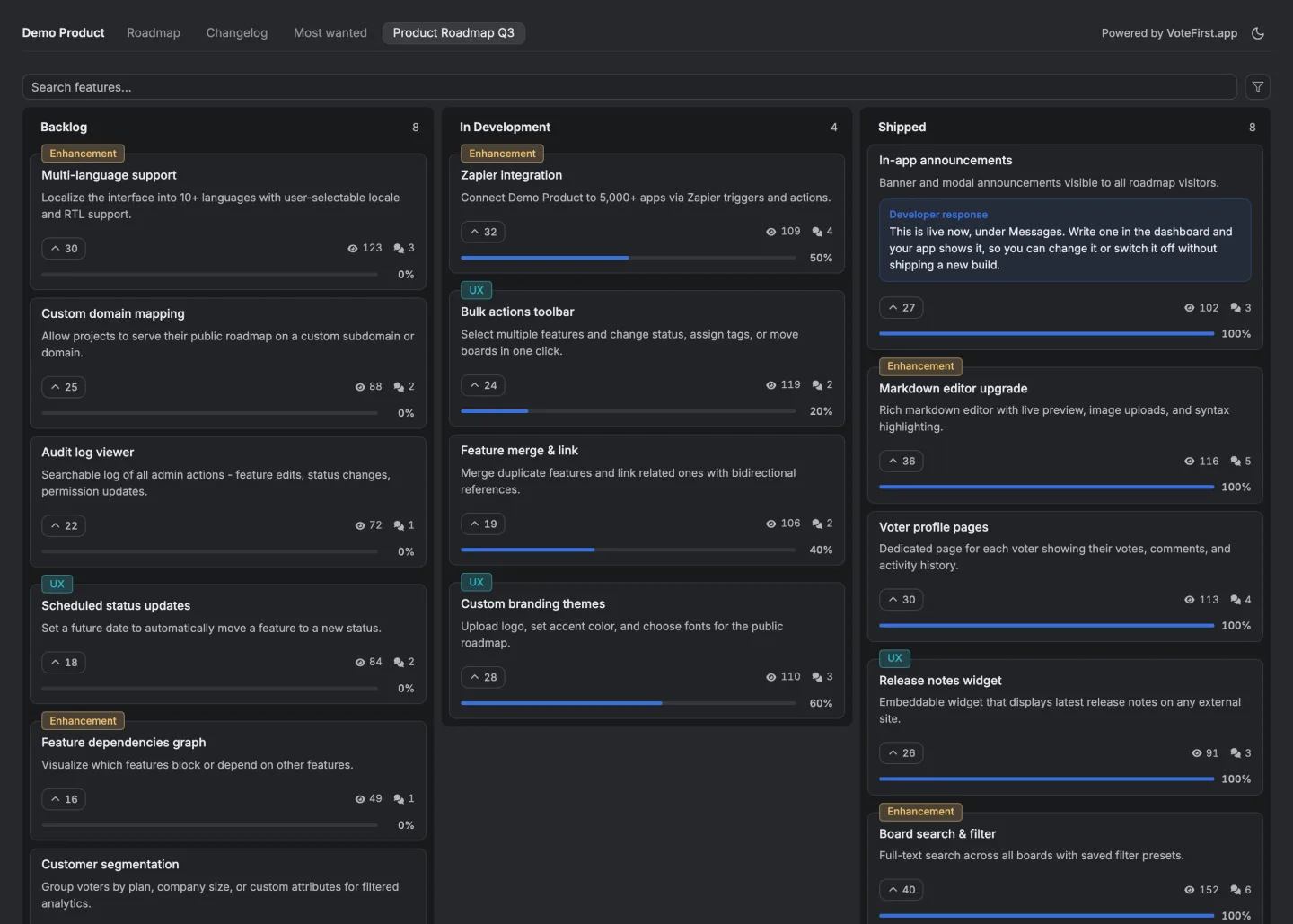
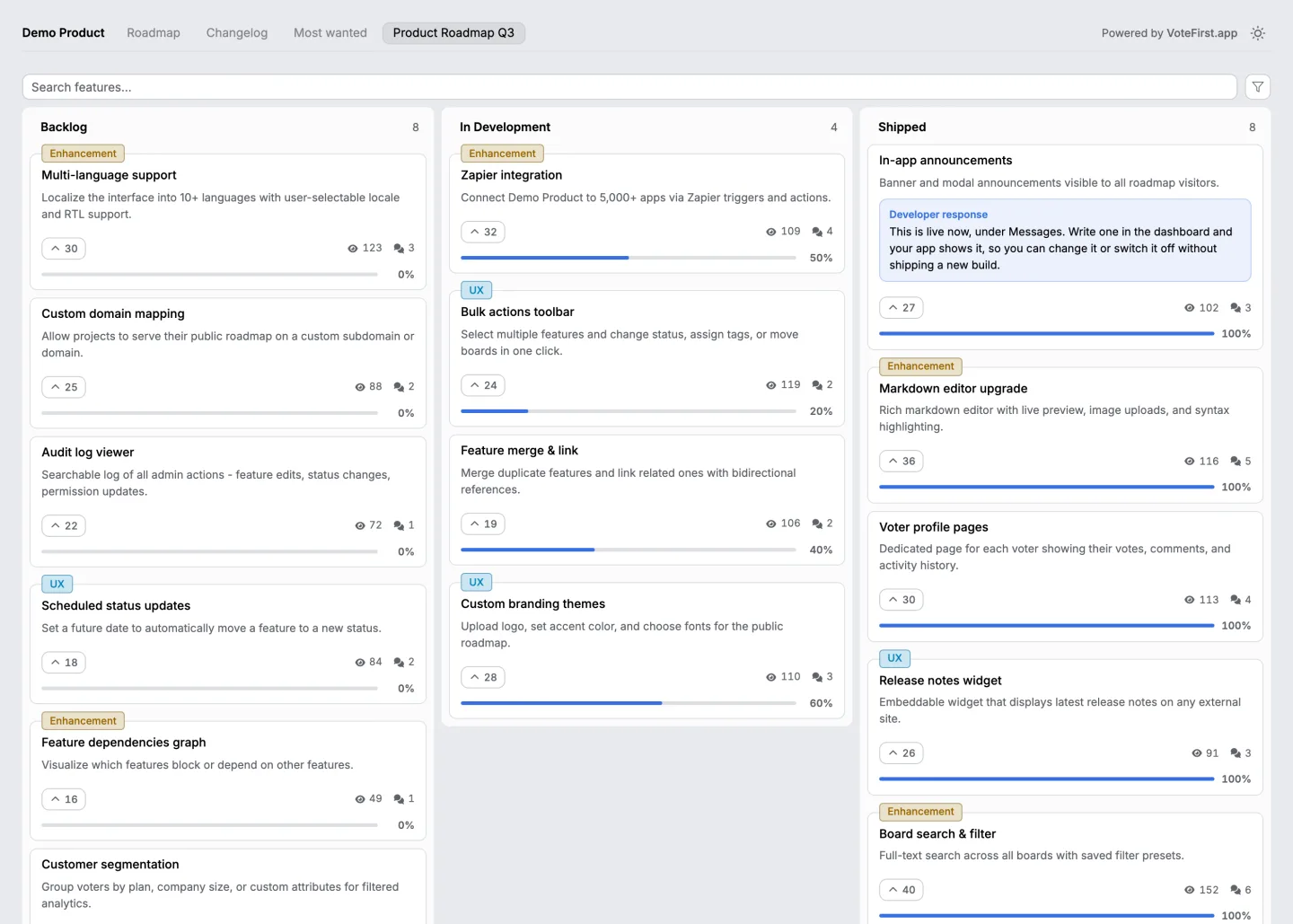
| Board | The full feedback board |
| Changelog | A dated timeline with a show more button |
| Top features | A ranked list with a bar showing each one's share of voters |
| Features | A paginated list of cards |
| Vote button | A single vote control for one specific feature |
| Badge | An inline vote control with the feature title beside it |
The two modals are a suggestion form and a report form, and both open over whatever page they are on rather than taking the visitor somewhere else.
The demo is open with no account and no email if reading about it is not enough.
Can I put this on my own site?
Yes, and there are two ways depending on how much control you want.
The short way is one script tag carrying your project and your public key. It initialises itself and finds the containers you have marked.
The longer way is a stylesheet, the script, and an explicit call to set it up, which is what you want if you are deciding when the widget appears rather than letting it run on load.
If your own code calls the widget before the script has finished loading, the calls queue rather than failing, so you do not have to think about ordering.
Does it work if the visitor is signed out?
Yes, and that is the default rather than a mode you switch on.
The first time a signed out visitor does something that writes, an anonymous identity is minted for them and kept in their browser's local storage.
No cookies are involved and the widget never sends credentials with a request. The token is signed and tied to your project specifically, so it cannot be lifted and reused somewhere else.
If you want real user identities instead, signing your own users in with a token is on the PRO plan.
What does it cost?
Nothing beyond your plan, which starts at nine dollars a month. No widget is held back for the higher plan.
A widget authenticates with the published embed key, and the branch of the route that key takes carries no plan check at all, while the branch a secret API key takes refuses anything below PRO. On the nine dollar plan you get all seven.
Two exceptions. Signing your own users in with a token needs PRO, and comments are switched off on the embed if the account behind it has lapsed.
Can I stop it loading on somebody else's domain?
Yes, with an origin allowlist that you control.
It is a list of the origins allowed to use your public key. Matching is exact, with one option for a subdomain wildcard, and that wildcard deliberately does not include the bare domain itself, so allowing every subdomain does not quietly allow the apex too.
An empty list allows every origin. That is deliberate rather than an oversight, because it is what makes the widget work the moment you paste it in, and it is worth setting the list once you know where the widget actually lives.
When an origin is refused, the response carries no permissive headers, so from the browser's point of view a blocked page cannot tell the difference between being excluded and the network failing. The preflight refuses the same way before the real request goes out.
Your public key starts with a recognisable prefix and is safe to put in a page, which is the whole point of it. Only an account owner can rotate it or change the allowlist.
14 days, a card at signup, then $9 or $39 a month.
How big is the script?
The script is 82,082 bytes and the stylesheet is 30,041 bytes, both unminified, because there is no minified build; the source is what loads. Calling that lightweight would be the easy word and not a true one. If you are counting bytes on a landing page, count these ones.
If it matters enough, there is a pinned version address that is cached for a year, so you can load one exact build and never be surprised by a change.
Is there a feedback widget for a website, not just an app?
Yes. All seven widgets and the two modals go on an ordinary website with the same script tag as any application page. Nothing here assumes you are inside a product; a marketing site, a documentation site or a support page carries them the same way.
The short install is one script tag with your project and your public key, and it finds the containers you have marked. The longer install loads the stylesheet and the script and calls setup yourself, which is what you want if you are deciding when a widget should appear rather than letting it run on load.
A visitor on that website votes and posts without an account, and nothing they write appears on the public board until somebody on your team approves it. There is no free plan; a trial needs a card at signup, same as every other plan here.
That last point matters on a website specifically, because a page anyone can reach is a page anyone can write to, and the review step is what keeps that safe.
Which one should I use?
If you want the whole thing in one place, the board or the roadmap.
If you want to announce releases inside your product, the changelog.
If you want to collect an idea without sending anybody anywhere, the suggestion form modal.
If you want to ask about one specific feature on the page where that feature lives, the vote button or the badge.
This is the one most people overlook, and it is the only one that puts the question in front of somebody who is already thinking about that exact feature rather than asking them to go and find it on a board.
The developer documentation
The quickstart has both install shapes with the exact markup, and the text keys you can override are listed so you can change the wording without touching the script. Every widget the script can draw has its own page.

