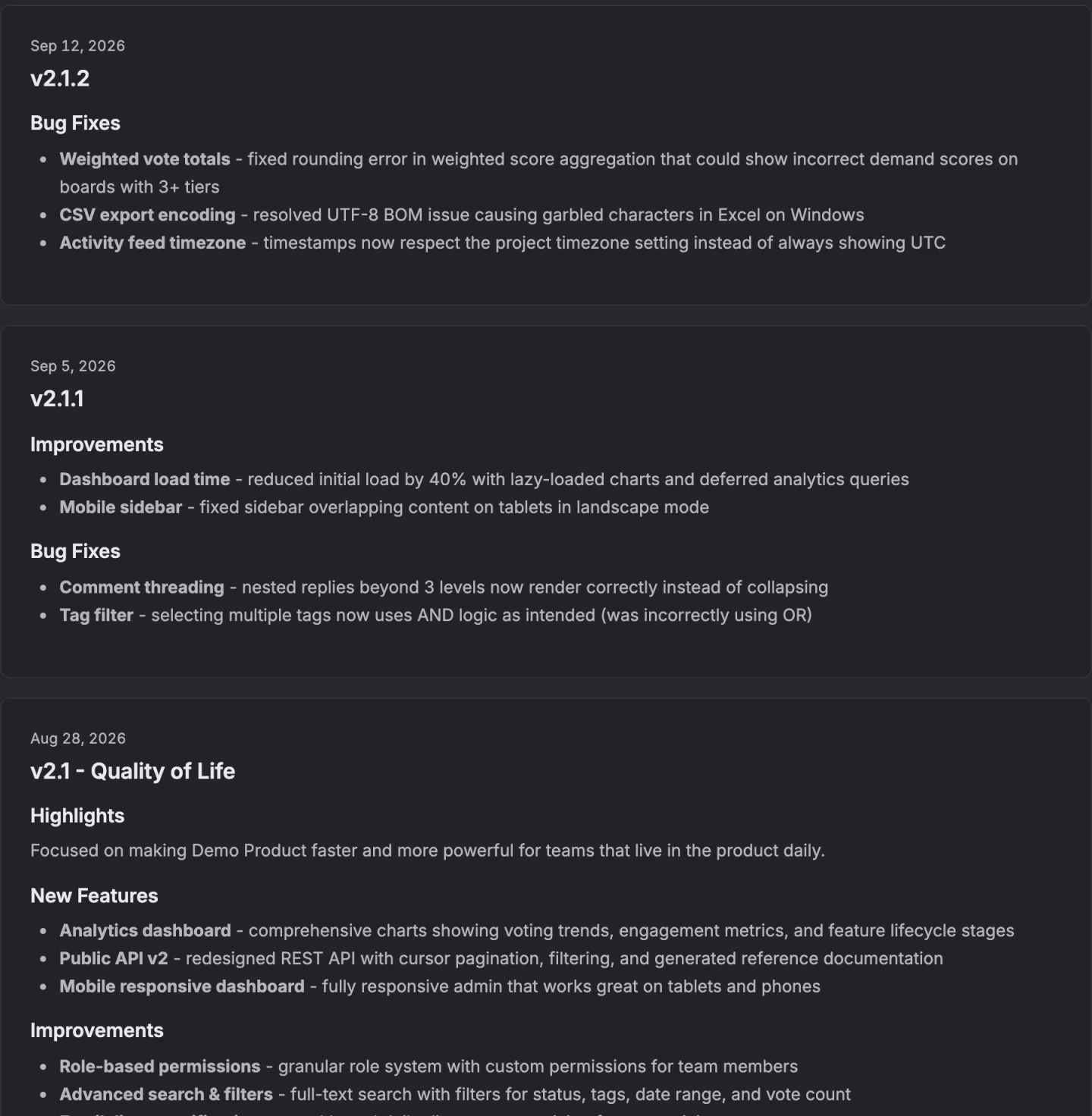
The short version
- The title and the first sentence carry the whole thing.
- A version number isn't a title.
- Group the changes by kind, because a reader is looking for their thing.
- If the reader has to do something, say so in the first sentence and again in its own section.
Five sections should be included in release notes, in this order. A title, one sentence anybody can understand, what changed grouped by kind, anything that needs action, and a link to the thing itself.
That's the whole answer. Anything not on that list of five isn't usually worth being included, and what follows is what each section is for, what goes wrong in it, and the categories worth grouping by.
What should release notes contain?
The title and the first sentence. Everything else is optional, and almost nobody reads past the first sentence unless it earns them.
That's the shape of the artefact, not cynicism about readers. Release notes arrive as a notification or a strip at the top of a page, and both of those truncate.
On our own side the banner that announces the newest release strips the formatting out of the body and cuts it at 120 characters. The first sentence is the artefact and the rest exists for the smaller number of people who click through.
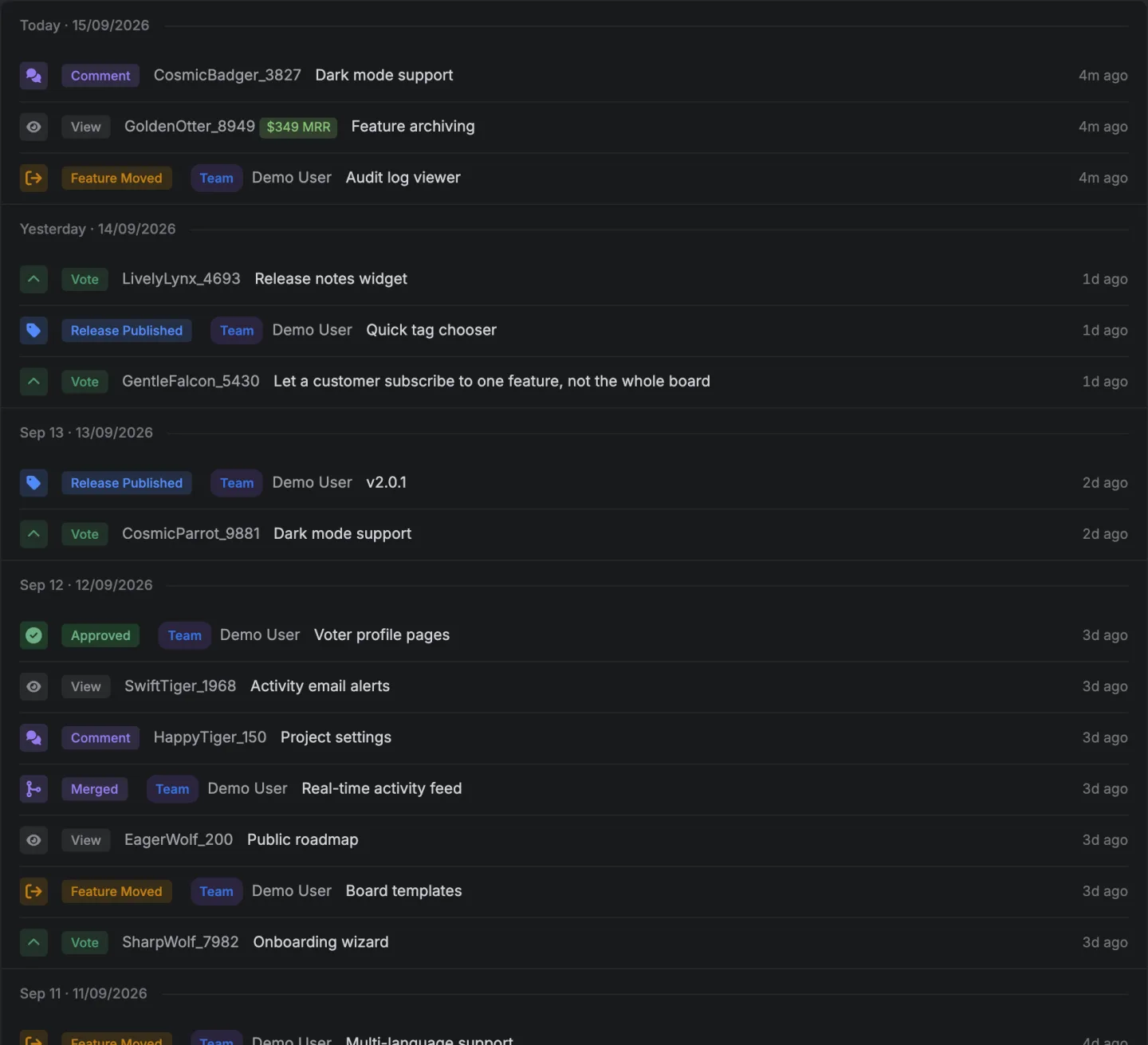
There's a changelog to look at, not a description of one, and the demo is open without an account.
Want these published and delivered rather than written and forgotten? Ten changelog tools, checked on their own sites for email, a feed and a widget.
The five sections
| Section | What it is for | What goes wrong |
|---|---|---|
| Title | Being recognisable in a list of twenty | A version number alone, which names nothing |
| The one sentence | Telling a skimmer whether to care | Written for people who already know what changed |
| What changed, grouped | Letting a reader find their thing | An undifferentiated list of forty bullets |
| Anything that needs action | Not surprising anybody | Buried under the good news |
| Where to see it | Turning the note into the thing | Omitted, so nobody goes and looks |
The title
A version number isn't a title. 2.4.1 tells a reader nothing they can act on, and in a list of twenty entries it's indistinguishable from 2.4.0.
Put the thing in it, like 2.4 · Bulk import and webhook events. The number is still there for the people who track numbers, and the words are there for everybody else.
The one sentence
Write it for somebody who hasn't been following.
The failure is writing for the team. "The export pipeline now uses the streaming writer" is a true sentence that tells a customer nothing. The customer version is "exports of large boards no longer time out".
Because this sentence is what gets truncated into notifications and banners, front load it. The part that survives a cut at 120 characters should be the part that decides whether somebody clicks.
What changed, grouped by kind
A reader is looking for their thing. Grouping is how they find it without reading everything.
Five categories cover almost everything, and they're the five our own changelog offers.
| Category | What goes in it |
|---|---|
| New features | Something that did not exist before |
| Improvements | Something that existed and is better |
| Bug fixes | Something that was broken |
| Security | Anything a security conscious reader should know about |
| Breaking changes | Anything that requires the reader to do something |
Anything that fits none of them goes in Other, which is a sixth group, not a sixth category, and a release where Other is the longest group is a release that wasn't sorted.
The order matters. Breaking changes read last in a list and first in importance, so many teams put them at the top. That's defensible and the version that works better is to name them in the one sentence, because that's the part everybody reads.
Anything that needs action
If the reader has to do something, say so in the first sentence and again in its own section.
The failure here's real and it's expensive. A breaking change announced in the eleventh bullet of a cheerful release note is a support queue next week. Somebody who has to act and didn't find out won't accept that it was technically published.
Where to see it
One link per item where a link exists.
This is the section that turns a release note into something useful, not an announcement. A reader who wanted the filtering should be able to get to the filtering from the note, and the distance between reading and using is the whole conversion of a release note.
What to leave out
Internal work with no visible effect. A refactor isn't news. If it has to be mentioned because it caused a change in behaviour, mention the change and not the refactor.
Every bug. A list of forty small fixes buries the three that matter. Group them and say how many.
Marketing adjectives. Delightful, frictionless, powerful. The reader is deciding whether something they care about changed, and adjectives slow that down.
Thanks for your patience. If the release is a fix for something that was broken for a while, say what was broken and for how long. That's the apology.
How long should it be?
As long as the grouped list of changes, and no longer.
The one sentence plus five groups is usually between 100 and 300 words. Anything much beyond that's a blog post pretending to be a release note, and the two have different jobs.
How do you do this without a tool?
A markdown file per release, five headings, newest at the top, published wherever your users already look.
The part that takes discipline is the grouping, because it has to happen at write time and the natural way to write a release note is chronologically from a commit log.
How does this product do it?
A release carries a name, a published date, a body written in markdown, a featured flag that pins it, and a list of the things that went into it. That list isn't typed.
It's the cards from the board that reached the completed column, each carrying its own heading, the category somebody filed it under, and the number of people who voted for it.
The five categories above are the ones the release notes are grouped into when the body is generated from those cards, with Other as the catch all.
The banner that announces the newest release strips the formatting out of the body and cuts it at 120 characters, which is why the first sentence matters as much as this post says.
The changelog page covers the rest, and what a changelog is covers how it differs from a release note.
A template with the fields filled in is the version you can paste.
14 days, a card at signup, then $9 or $39 a month.