Jira has no single "feature requests" product. It has an issue type you add yourself, a vote button an administrator controls, and three separate doors for letting someone outside your company file a request: the Jira Service Management portal, the work item collector, and Jira Product Discovery's contributor accounts. Each one needs its own setup, and each has a different answer to the question that matters most: can a stranger get a request in and a vote counted without an Atlassian login.
Every fact below is from Atlassian's own help and pricing pages, read 3 October 2026.
Add a "Feature request" issue type
In a team managed space, a custom issue type (Atlassian's current name is "work type") takes five steps:
- Next to the space's name in the sidebar, select More actions (•••), then Space settings, then Work types.
- Select + Add work type.
- Select Create work type, not a suggested type.
- Name it "Feature request", add a description and an icon.
- Select Create.
A space can hold up to 30 work types. Company managed projects add an issue type from the project's Issue types admin screen instead, the same way as any other type.
The fields that make a request useful later, most of which Jira already carries:
| Field | What goes in it |
|---|---|
| Summary | The request in one line, in the customer's words |
| Description | The problem it solves, not the solution assumed |
| Reporter | Who logged it, customer or teammate |
| Votes | How many people asked, once voting is on |
| Label | Product area, for filtering |
| Status | To do, In review, Planned, Declined (with a reason), Done |
Turn on voting, and what it does
Voting is a setting for the whole site, not for one project, and Atlassian's admin page lists its default as ON. If the vote icon is missing, a Jira administrator switches it back on at Settings > System > General configuration > Edit settings, under "Allow users to vote on issues".
Once it is on, anyone with access to the issue votes by opening it and selecting the vote icon at the top right, which also shows the vote count and who else voted. Atlassian's help pages say a reporter cannot vote on their own issue, so the person who filed a request starts it at zero.
Votes sort and filter like any other field in JQL:
project = FEAT ORDER BY votes DESC
Add a Votes column to a search's results to see the count per issue. None of this reaches anyone outside the Jira site: voting needs a login and product access to that space.
Letting people outside Jira in
Three ways, each documented separately by Atlassian, and none of them is "a customer votes anonymously."
Jira Service Management portal. A customer portal is the request form a service project shows to people without a Jira license. Atlassian supports voting inside the portal, but only on a request that has been explicitly shared: a customer sees and votes on another customer's request only if it was shared with a customer organization or group they belong to, a setting a project admin turns on. Nothing in Atlassian's documentation makes requests visible to every customer by default. Service Management is now sold in Atlassian's Service Collection: free for 3 agents, then $20 an agent a month on Standard or $51.42 on Premium, billed monthly for 75 agents, read on Atlassian's pricing page 3 October 2026. Customers are not billed.
The work item collector. This is Atlassian's embeddable feedback form, not a product name: it drops a trigger tab onto your own website and creates a work item in Jira from whatever a visitor submits. Atlassian's own line is plain: "Visitors to your website do not require a user account in Jira to use the Jira feedback form." Atlassian documents it for company managed spaces only. It takes requests in and shows nothing back: no vote and no list of what other people asked for.
Jira forms. A form collects structured answers and turns a submission into a work item, and Atlassian documents it as a way to "help people outside your immediate team send work to your team." A form embedded in a portal request type works the same way the portal does, needing no separate login; a form shared as a direct link still runs inside whatever access the space it lives in requires.
Jira Product Discovery for the same job
Jira Product Discovery replaces the work item with an idea, and ideas carry their own Votes field: a configurable field that lets a user cast a vote, with a limit per user the space sets. A creator builds the space and its views and is billed; a contributor is free on every plan, needs only a free Atlassian account added to the site, and can open ideas, vote, comment and propose new ideas.
That free account is the limit. Atlassian's licensing guidance is that contributors need one, and its pages describe no route for someone without an account to submit an idea or vote inside Product Discovery itself. A team that wants requests from customers in Product Discovery collects them somewhere else first, a portal or a form, and moves the accepted ones across.
Jira Product Discovery is free for 3 creators, then $10 a creator a month on Standard or $25 on Premium, prices read on Atlassian's pricing page 2 October 2026.
Who hears when a request ships
Voting and watching are two different actions in Jira, and Atlassian treats them separately. Autowatch adds you as a watcher of anything you create or comment on, and a watcher gets the full set of lifecycle notifications: status changes, reassignments, comments. Atlassian's documentation does not list voters among the people notified automatically. A customer who voted and wants to know when the request ships has to also watch the issue, which again needs an account and access to that Jira site; a portal customer gets notified through the portal's own request updates instead, set by the service project's notification rules.
What a request looks like once it is in
Across 634 public feedback boards measured in October 2026, the median request carries 2 votes, the poster's own included. That is on boards where nothing stands in front of the vote button. Every door into Jira above puts a login, a shared group or a contributor account there.
Atlassian takes its own feature requests this way, in public, and anyone with an Atlassian account can vote. All 179,402 Suggestions on jira.atlassian.com, read on 4 October 2026, have a median of one vote, and 17.1 percent were built. Votes mostly kept a request from being turned down: 46.0 percent of those with one to four votes were closed unbuilt, against 3.5 percent of those with a hundred or more. The median request built with more than a thousand votes waited nine years.
VoteFirst beside Jira
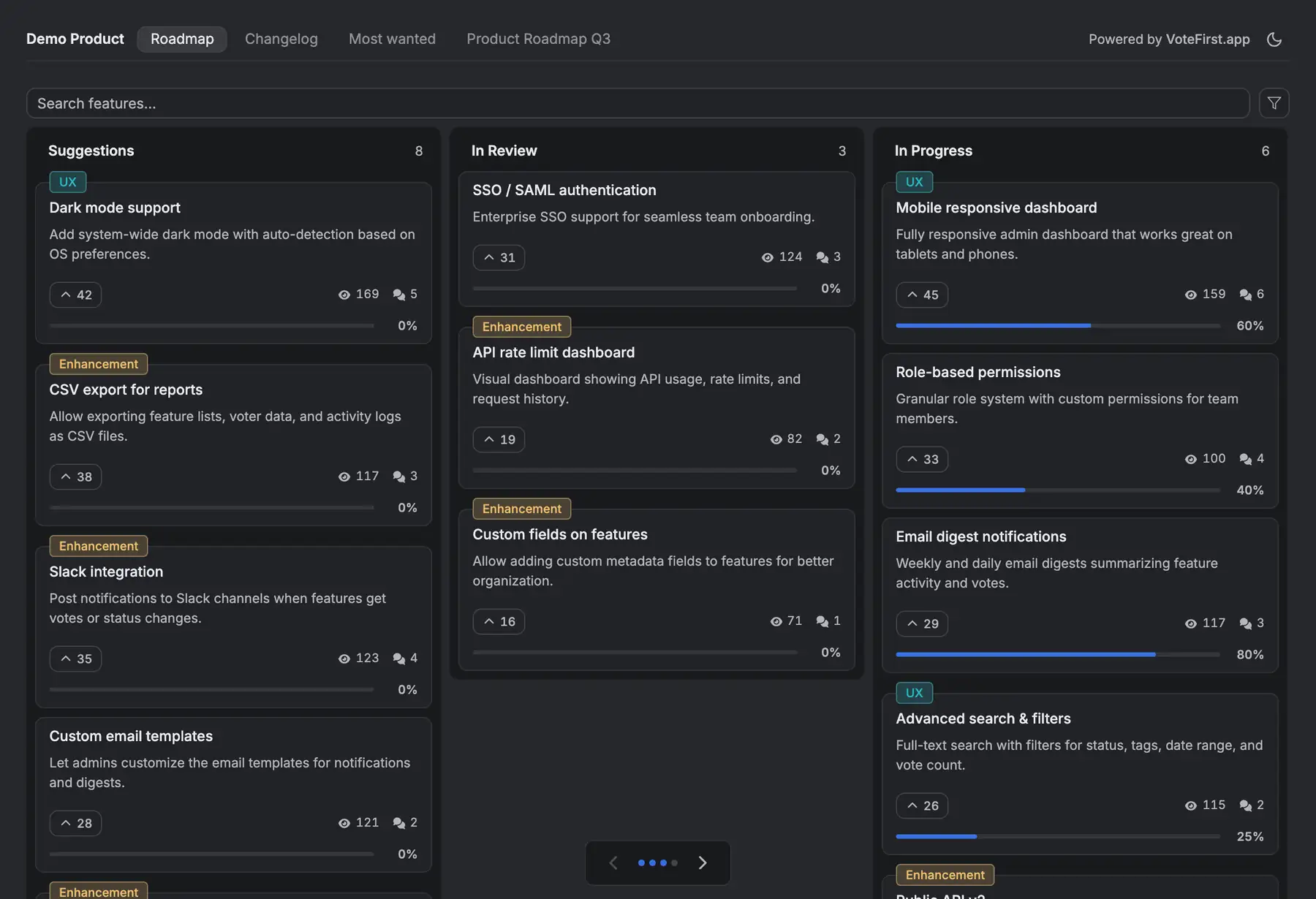
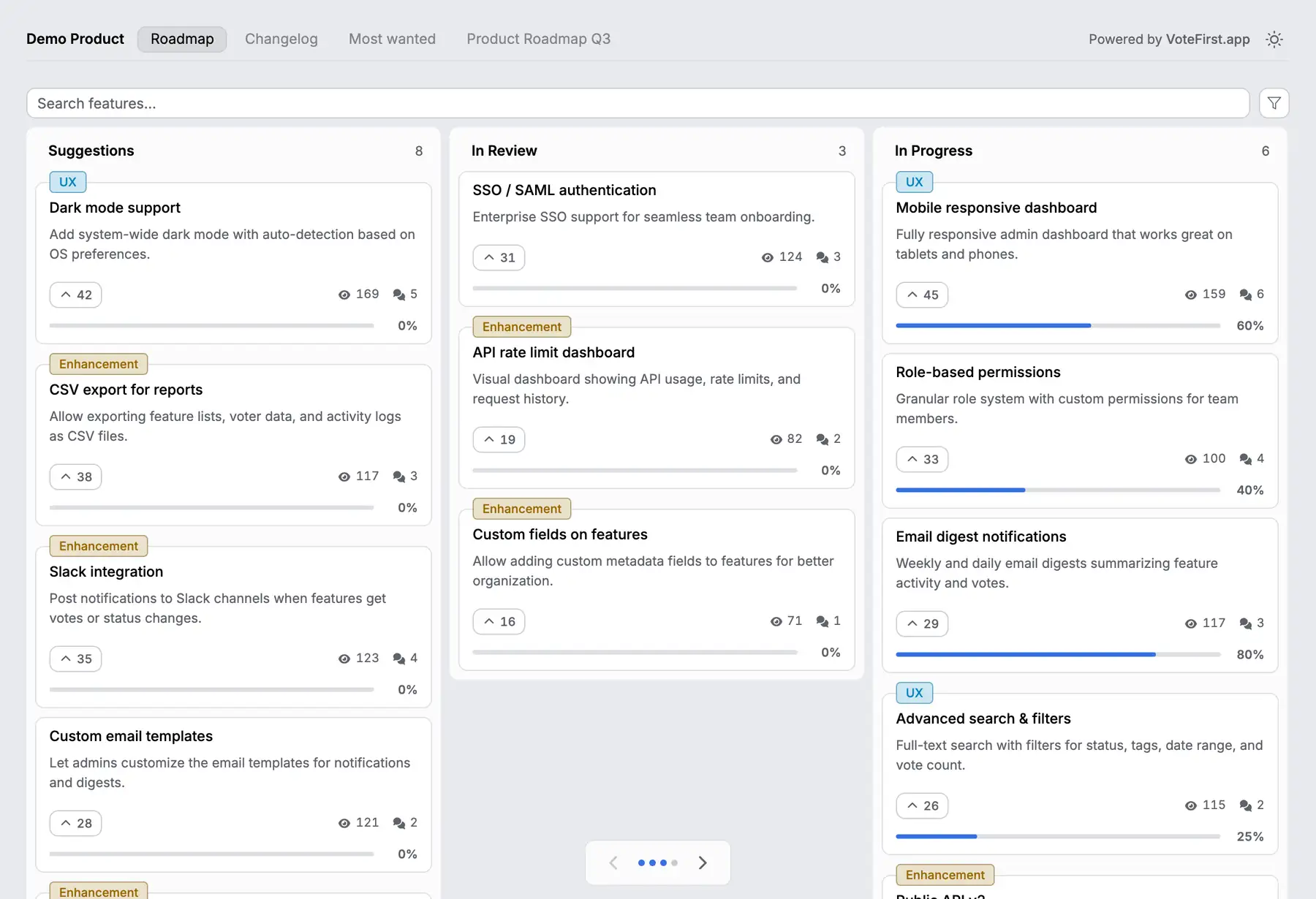
VoteFirst is a public board and roadmap where a visitor posts a request and votes with no account at all; a cookie identifies them instead of a login or a shared group. A voter who leaves an email gets notified when the request they voted for ships, with no separate watch step. Lite is $9 a month for one project with revenue weighted voting included, Pro is $39 for unlimited projects, a custom domain, the API and a team. Every plan exports its requests to CSV.
VoteFirst has no Jira integration of any kind: no import, no sync, no issue creation in either direction. A team keeps Jira for the work and the board for the request, and copies an accepted request into a Jira issue by hand, or scripts it from the CSV export. A roadmap built the other way, laid out inside Jira itself, is covered separately.
14 days, a card at signup, then $9 or $39 a month.