Asana has no single roadmap object. A roadmap is a project read in Timeline view or Gantt view, or several projects read together in a Portfolio, and Asana publishes its own Product roadmap template as a starting point. Liking a task is the nearest thing to a vote, and Asana's help center does not describe a like as a vote, or a like from anyone outside the project.
Every rule below is from Asana's own help center, template page and pricing page, read 3 October 2026.
The roadmap layout
Two views do the roadmap job. Timeline view lays tasks on a schedule, read left to right, by start and due date. Gantt view does the same with dependencies and a critical path, so a delay on one task can push the ones that follow it. Asana's help center states both are "Available on Asana Starter, Advanced, Enterprise, and Enterprise+ tiers, as well as legacy tiers Premium, Business, and Legacy Enterprise," so a roadmap view needs the Starter plan or above. A Portfolio reads several projects at once and needs the Advanced plan or above.
Asana's own comparison of the two views points Gantt at projects "that are more structured and process-oriented from the start", where actual progress is compared against the original plan, and Timeline at work still being planned as it goes, where swimlanes and saved, filtered views matter more.
Asana's own Product roadmap template tracks five things for each feature: a launch timeline by quarter, priority (Low, Medium, High), effort (Small, Medium, Large), status (its examples are Not started, In progress, Shipped and Launched), and the company goal the feature supports. Starting from it skips most of the setup below.
Building it, step by step
- Create a project, or start from the Product roadmap template, which comes with those fields.
- Add one task per feature or request, with a custom field for its status: Under consideration, Planned, In progress, Shipped, Not planned.
- Add a start date and due date to each task so it has a place on Timeline or Gantt view.
- Switch to Timeline or Gantt view from the project's view bar, and group or sort by the status field so the stages read like roadmap columns.
- To collect requests from people who are not on the project, create a Form and connect its fields to the project's custom fields so a submission lands pre-sorted.
- To share a read of the roadmap, open the view, click the project actions menu next to the project's name, choose Sync/Export, then Create a public link.
What a visitor without an account can do
A Form is the one path a stranger has into an Asana roadmap with no account. Asana's own article states it directly: "You can share the link with your teammates in Asana, as well as anyone who doesn't have an Asana account, and they'll be able to fill out the form." A form can be set to one of three access levels: Anyone can access, Organization only, or Deactivated; forms default to Organization only. A submission becomes a new task, which is the one way an outside visitor can put a request in front of an Asana roadmap. Forms need the Starter plan or above; a super admin on Enterprise+ or Legacy Enterprise can restrict every form on the domain to the organization's own email addresses, closing the outside route entirely.
A read-only link gives a stranger a view, not a vote. Asana's own article on read-only links covers list, board, calendar and timeline views in projects inside an Asana organization, and states the link "is a shareable, view-only link," that it is available on the Personal plan and up, and that "the content and URL of these read-only links are not searchable or indexed in any search engine." Only a project admin can create one. An organization member who opens the link through the Preview step can choose to join the project and edit it; Asana's page does not describe what a visitor with no Asana account and no organization membership can do with the link beyond that preview.
Liking a task is on the Personal plan and up: "Click the thumbs up icon to like a task." Asana's own article does not say who can see or click that icon beyond a project's collaborators, does not describe a visible or sortable like count, and does not call a like a vote.
Who hears when a request ships
Asana calls people who are notified on a task collaborators, and its own article states plainly: "Task collaborators receive notifications when the task is updated." The task's creator and its assignee are added as collaborators automatically, and so is anyone added with the collaborators field or anyone @mentioned in a comment or description. Asana's pages on collaborators and on forms do not name liking a task or submitting a form as an action that adds someone as a collaborator, so there is no documented path back to a stranger who liked a task or filled out a form when the request it became ships.
What each Asana plan costs
Prices below are Asana's own, per user per month, read from the US dollar figures in its pricing page's data; from Europe the same page shows the same numbers in euros.
| Plan | Price a user a month, billed annually | Billed monthly | Adds for a roadmap |
|---|---|---|---|
| Personal | $0 | $0 | Likes, read-only links; no Timeline, Gantt or Forms |
| Starter | $10.99 | $13.49 | Timeline view, Gantt view, Forms |
| Advanced | $24.99 | $30.49 | Portfolios |
| Enterprise | Custom, contact sales | Custom | Domain wide controls on Forms and read-only links |
| Enterprise+ | Custom, contact sales | Custom | Same domain wide controls as Enterprise |
Asana's pricing page lists Starter with "No user seat limits".
What that gap is worth
Where a request needs no account at all, the counts still run small. Across 634 public feedback boards measured in October 2026, the median request carries 2 votes, the poster's own included. On an Asana roadmap, the one documented path for an outside visitor is a Form, which collects a request and no vote.
VoteFirst beside Asana
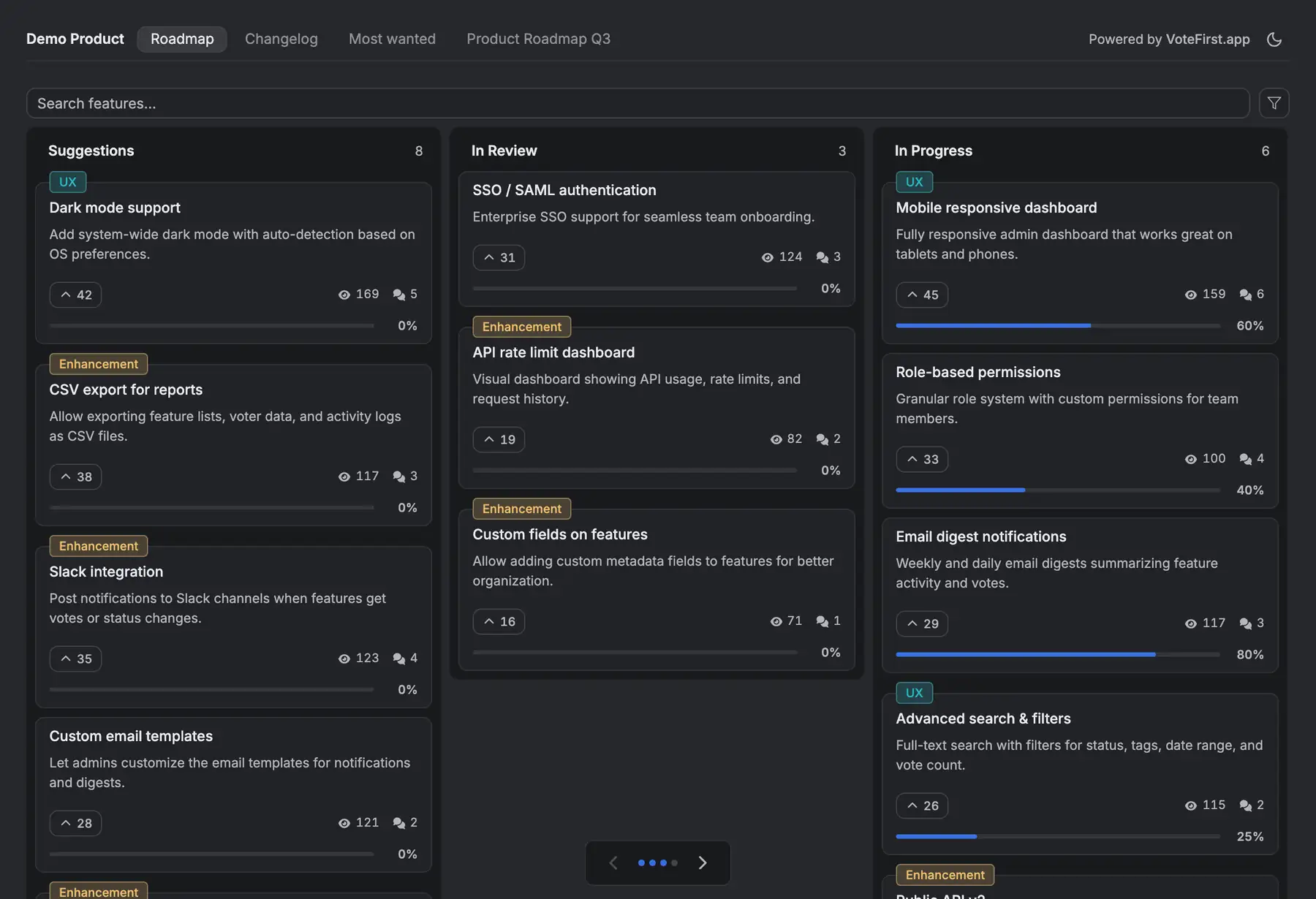
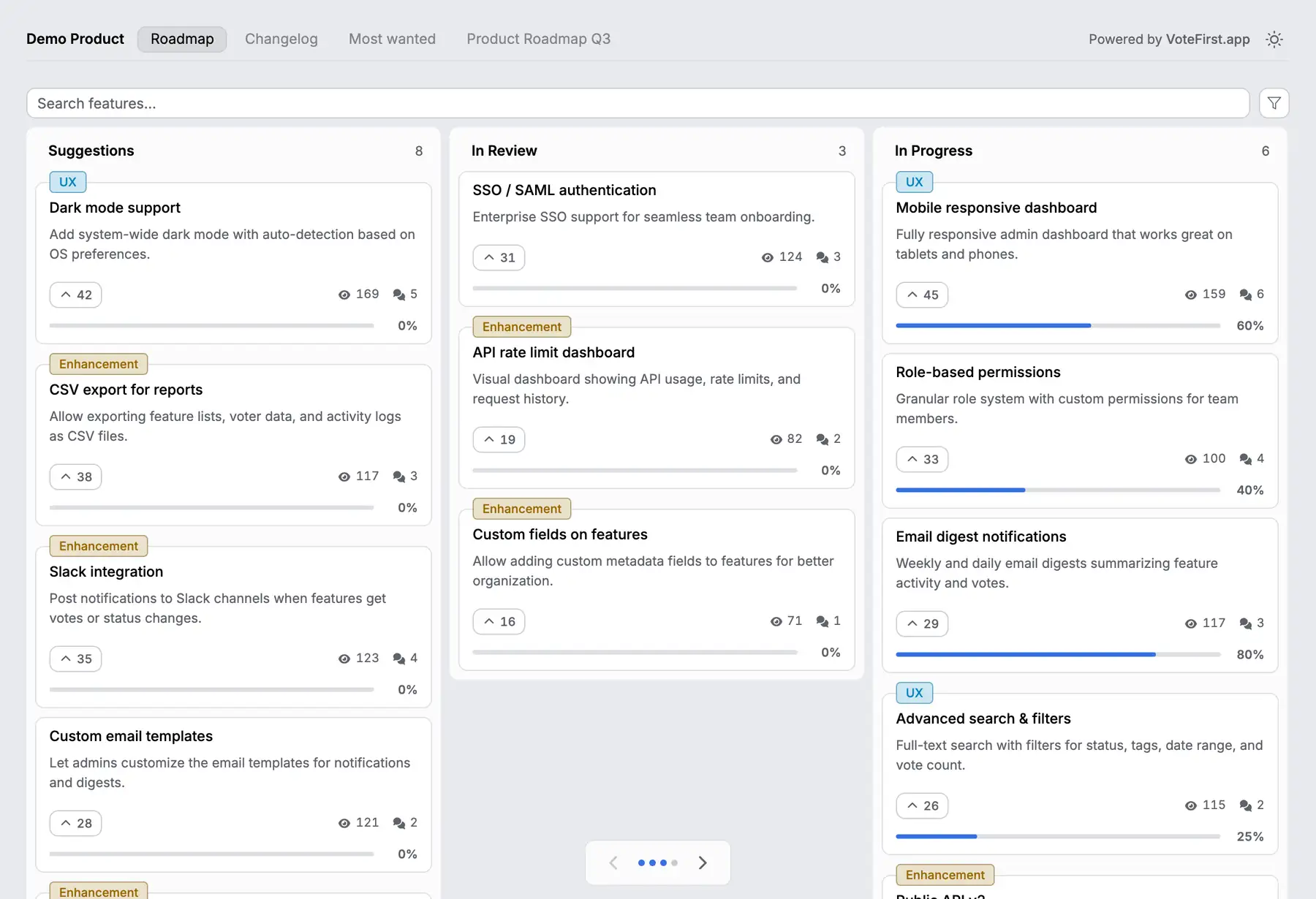
VoteFirst is a public board and roadmap where a visitor posts a request and votes with no account; a cookie identifies them instead of a login. When a request ships, every voter who left an email gets one notification. Lite is $9 a month for one project, Pro is $39 a month for unlimited projects, a custom domain, the API and a team. Every plan exports its requests to CSV.
VoteFirst has no Asana integration of any kind: no task import, no sync in either direction. A team can keep Asana for the work and put the roadmap visitors see in front of it, moving an accepted request into an Asana task by hand.
14 days, a card at signup, then $9 or $39 a month.