Notion builds a roadmap as a database, one row per idea, shown as a Board or a Timeline. Anyone editing the workspace can use it. The gap is everything that happens once a stranger reaches the published page: Notion's own help pages say a visitor needs a Notion account to comment or edit a page, and a vote is an edit.
Building the roadmap database
Add a new page, turn it into a database, and give it the properties Notion's own product roadmap guide recommends: a Status select (Up Next, In Progress, Done), a Priority select, a Person property for the owner, and a Date property for the start and end. A Project Type select separates epics from bugs if the board mixes both. None of these is a request count. If a row needs to show how many people asked for it, that is a Number property added by hand, counted up by hand or by a rollup from a linked table.
- Create the database and add the properties above.
- Open Board view and group it by Status, so each column is a stage.
- Open Timeline view. A row needs its Date property filled in before it shows a bar; a row without one does not appear on the timeline at all.
- Drag a bar's edges to change its dates, the same way a Board column change moves a card between statuses.
Taking requests with a Notion Form
Notion Forms are included on every plan, Free included, and a form is wired straight into a database: each question is one property, and every submission becomes a new row. Notion's help page states a form shared with "Anyone on the web with link" takes submissions from people with no Notion account, and responses sent that way are recorded anonymously by default. Answers land in a Table view of the connected database named Responses.
Conditional logic, showing or hiding a question based on an earlier answer, is restricted to Business and Enterprise.
Making the roadmap public
Publish the database from Share, the Publish tab, Publish to web. A visitor with no Notion account can view it, switch between its saved views, open a row, and duplicate the whole page if Duplicate as template is turned on. Search engine indexing is a separate toggle on the same tab, and Notion's own help page says a published site can take up to four weeks to appear in search results once that is on.
What that visitor cannot do, by Notion's own sharing rules, is comment or edit. Notion's sharing and permissions page states it plainly: a page visitor needs to be logged into Notion to comment on or edit a page, even when editing is open to "anyone with the link." Logged out, a visitor can only read.
A custom domain, removing the notion.site address and Notion's branding, is a paid add on, $8 a month per domain billed yearly or $10 a month billed monthly, read on Notion's pricing page 3 October 2026.
Voting, and what each workaround still needs
Notion has no vote button. The two workarounds people build both run into the same wall as a comment.
A Person property a visitor adds themselves to, so the row's tally is a count of names, needs edit access to that row, which needs a Notion login, by the same rule stated above.
A counter, a Number property raised by a button or a linked database entry, needs the same thing: whoever clicks it is editing the page, and editing needs an account.
Neither reaches the person Notion's own forms page describes as submitting anonymously with no account. That person can send one request in. They cannot come back and add a vote to somebody else's.
What each setup costs
| Setup | What it needs | Plan and price, read 3 October 2026 | Can a stranger vote with no account |
|---|---|---|---|
| Private roadmap database | Any Notion plan | Free, with 10 guests; Plus, $10 a seat a month billed yearly or $12 monthly, unlimited guests | No, nobody outside the workspace can open it |
| Published read only roadmap | Publish to web, plus the custom domain add on if the notion.site address has to go | Free or Plus; Business is $20 a seat a month billed yearly or $24 monthly; the domain add on is $8 to $10 a month per domain | No, viewing only; a vote needs a Notion login |
| Person property or counter workaround | Edit access turned on for anyone with the link | Same plan as above | No, Notion's own rule requires a login to edit |
What that gap is worth
634 public Canny and Featurebase boards measured on 3 October 2026 show a median request carrying 2 votes, counting the poster's own. That is a small number, and it is still a number nobody gets from a Notion page, because nothing on a published Notion page counts a vote at all. A workspace that wants the request, the count and the status to live in one public row, one that a stranger can add to without an account, needs that counting done somewhere else.
VoteFirst, for the part Notion leaves open
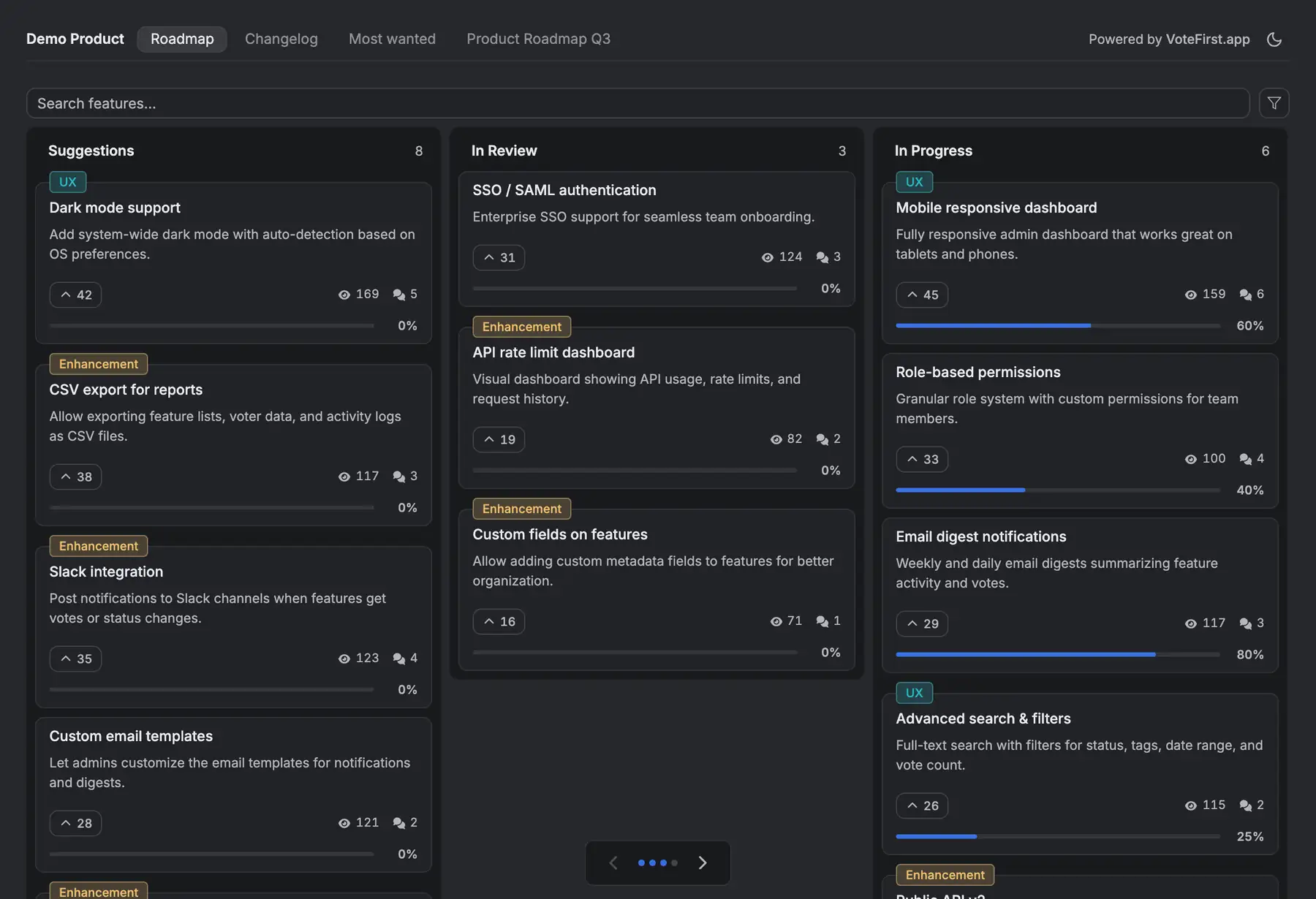
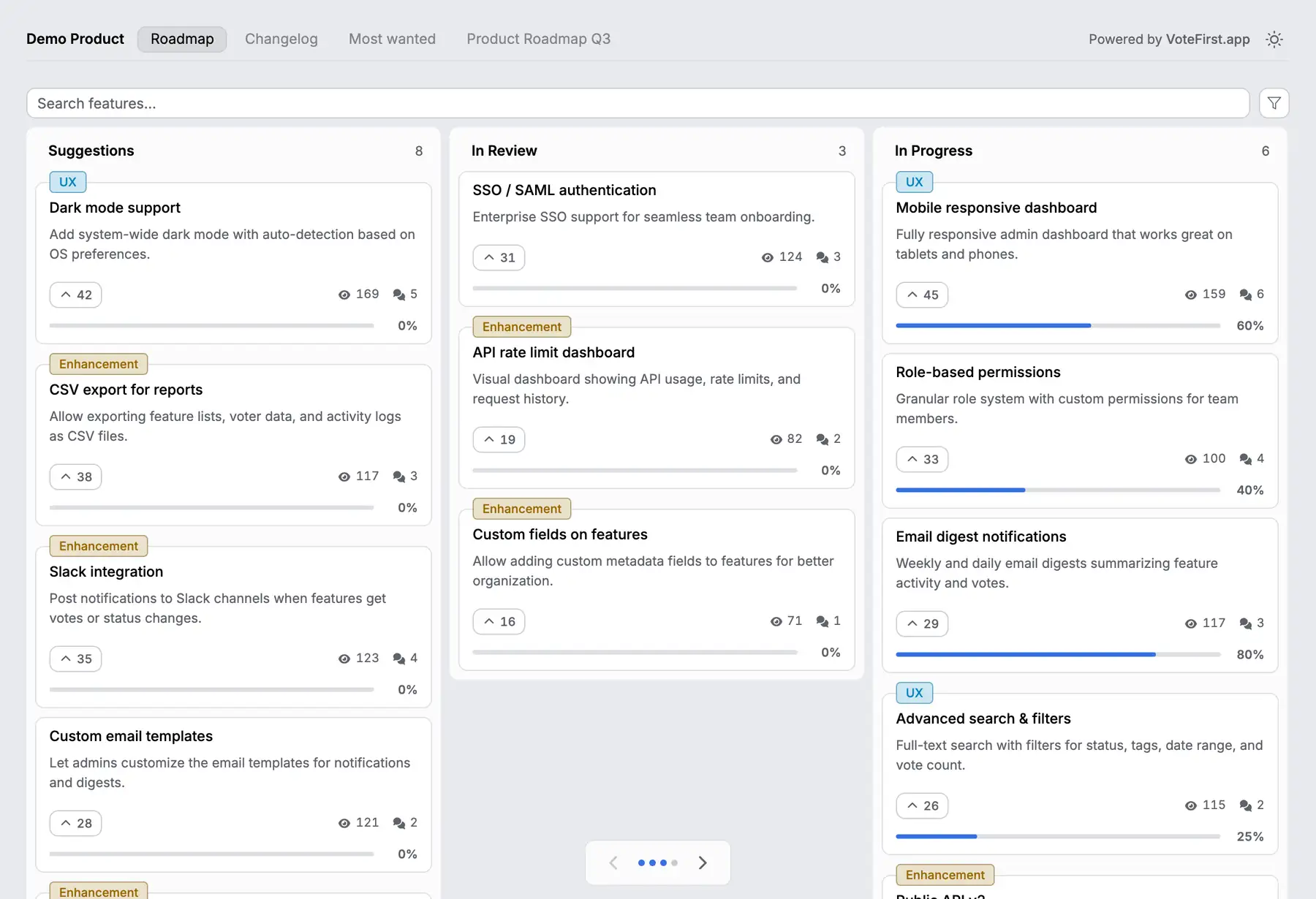
VoteFirst has no Notion integration; nothing here imports a Notion database or exports to one. It is a public board and roadmap of its own: a visitor votes and posts with no account, and everyone who voted for a request gets an email the day it ships. Lite is $9 a month for one project, Pro is $39 for unlimited projects, a custom domain, the API and a team. Every plan exports its requests to CSV.
14 days, a card at signup, then $9 or $39 a month.